
10bii Financial Calculator
In A Day DevelopmentFinance
4.4207.00 Reviews
- Version
- 4.15
- Installs
- 50.00K
- Age Rating
- Everyone
Screenshots


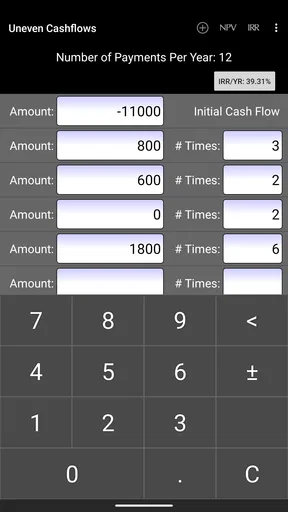
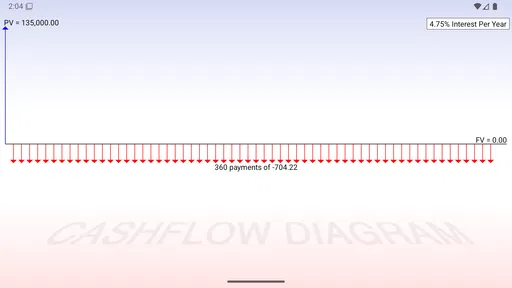
Our Review of 10bii Financial Calculator
 Analysis by Appyee
I find financial calculators most useful when they make a specific task clearer, not when they promise to solve every money decision. That is the lens I’d use for 10bii Financial Calculator: it is a dedicated finance app from In A Day Development, built around the familiar layout of an HP 10bII-style calculator. Its focus is financial math rather than budgeting, account tracking, or general-purpose number crunching, so it makes most sense when you regularly need to work through finance problems by entering values and interpreting the result.
The app costs $5.99, with optional in-app purchases priced from $0.99 to $3.99 per item. It has a 4.4 average from around 800 ratings, and has been installed over 50,000 times. Those figures suggest it has found a steady audience, but I would still judge it by whether its calculator-first approach suits your work. The age rating is Everyone, and version 4.15 requires Android 6.0 or later.
Where people can get stuck
The main adjustment is learning to think in the order a financial calculator expects. A basic calculator invites you to type an expression and read the answer. A finance calculator often asks you to enter values into named roles, such as a payment, a rate, or a number of periods, then solve for whichever value is missing. That method is efficient once it feels natural, but it can be confusing if you expect every problem to work like a string of ordinary arithmetic.
That difference matters in everyday use. If you are comparing two borrowing options, for example, a result is only meaningful when the inputs describe the same situation: the same time period, payment timing, and loan assumptions. I would check the problem setup before trusting a displayed answer. A calculator can process the values you enter quickly; it cannot tell you that you entered a monthly rate where the problem calls for an annual one.
Getting Started with 10bii Financial Calculator
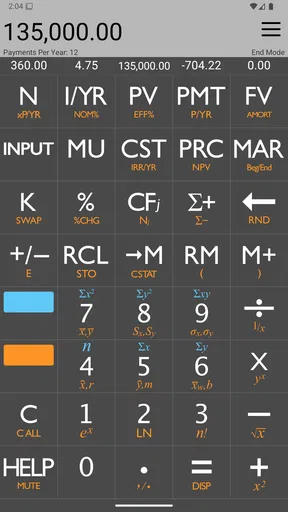
First things first, getting the 10bii Financial Calculator up and running is a breeze. Available on both Android and iOS, you can download it with just a few taps. Once you open the app, you’re greeted with a sleek, user-friendly interface that doesn’t intimidate even the most math-averse among us. It’s designed to mimic the layout of a traditional financial calculator, which makes it feel familiar to anyone who’s used one before.
Setup checks that prevent avoidable errors
For a first session, I would not begin with a complicated investment question. Start with a small example whose expected answer you can verify by hand, in a textbook, or with a trusted source. Enter each value deliberately and note which result the problem asks you to find. This gives you a quick way to learn the calculator’s rhythm without mistaking a setup error for an app problem.
Before comparing results, check whether your inputs use consistent units and periods. A rate quoted annually and a payment made monthly need to be interpreted in relation to one another; simply copying the numbers from a conversation or an advert may not be enough. I also recommend keeping a written note of the assumptions for a calculation you may revisit later. The answer alone is easy to misread once you have forgotten what the figures represented.
Features That Stand Out
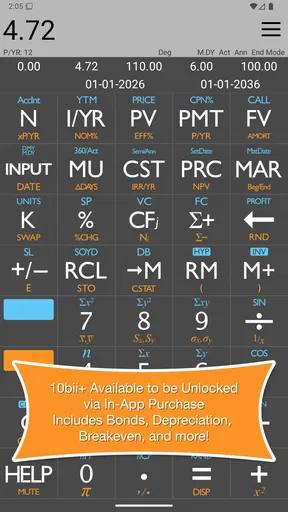
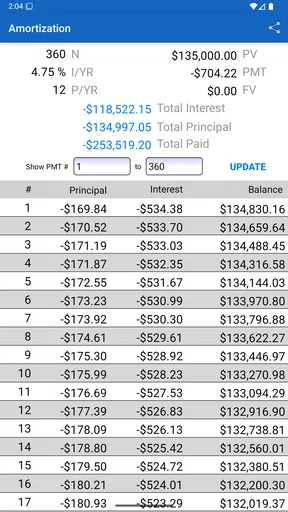
One of the biggest highlights of this app is its versatility. It’s not just about basic arithmetic; it’s about diving deep into the world of finance with ease. Whether you’re dealing with loan amortization, cash flow analysis, or even bond calculations, this app has you covered. The range of functions is impressive, and what’s even better is that they’re all easily accessible from the main screen.
Another feature that caught my eye is the app’s ability to save calculations. You can store your frequently used equations, which is a lifesaver when you’re working on a complex financial project. It’s like having a personal financial assistant that remembers your every move.
A practical workflow for repeated calculations
Saved work is most useful when you treat it as a starting point rather than a permanent answer. If you use a recurring loan or cash-flow example, keep the baseline calculation intact and make a separate working copy or record before changing figures, where the app’s controls allow. That simple habit helps prevent a revised rate or term from being confused with the original scenario. For a one-off decision, I would label the figures outside the calculator too, such as in a note, so the result remains understandable days later.
A realistic use is checking a financing offer at home after collecting the quoted payment, term, and rate. I would enter the offer’s assumptions, solve for the unknown I care about, then repeat the calculation with one changed assumption at a time. That makes the trade-off visible: perhaps a different term changes the payment but also changes the overall pattern of costs. The calculator helps with the numerical comparison; deciding whether the offer fits your budget still requires your own judgment.
User Experience: Smooth and Intuitive
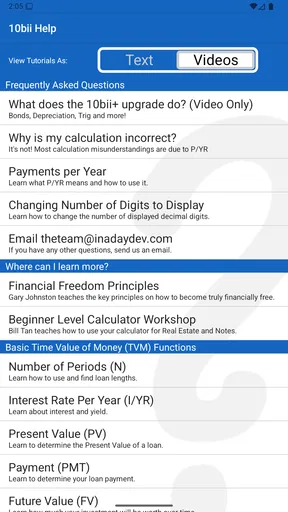
Using the app is a smooth experience, thanks to its intuitive design. The buttons are responsive, and the calculations are lightning-fast. Plus, there’s a wealth of tutorials and guides built into the app. These resources make it easy for anyone, from finance newbies to seasoned pros, to make the most out of the app’s capabilities.
One nifty touch is the app’s ability to provide explanations for various functions. If you’re ever unsure about what a particular calculation does, you can get a quick overview without having to leave the app. This feature is especially helpful for students or professionals brushing up on their finance skills.
Recovering a workflow when the result looks wrong
If an answer seems implausible, I would first retrace the inputs rather than repeatedly tapping buttons or assuming the app has failed. Confirm which value was meant to be solved, check the periods and signs in the problem, and compare the setup with a simple reference example. If you have been changing several inputs, return to a clean example and rebuild the calculation one value at a time. This is a practical way to isolate a mistaken entry without needing any special troubleshooting procedure.
For study or work, write down the values and the question you are solving before entering them. That small pause is particularly helpful when switching between a payment problem and a cash-flow problem, because similar-looking figures can play different roles. The app can speed up arithmetic, but a clear record of the question is what makes the final number useful and reproducible.
Why You Might Love It
Why do I love this app? Well, for starters, it makes financial calculations feel a lot less daunting. The ease of use combined with the depth of features means you don’t have to be a financial guru to get accurate results. I’ve found it particularly useful for managing personal finances, especially when it comes to comparing loan options or planning investments.
The app also shines in educational settings. Finance students can benefit from having such a powerful tool at their fingertips. It’s like carrying a full-fledged finance textbook in your pocket, but way more interactive and engaging.
When the app is not the cause
A calculator’s answer can be internally consistent and still not match a lender’s or adviser’s figure. The other party may be using different assumptions, fees, rounding, payment dates, or a definition of the rate that does not match the one you entered. When that happens, compare the assumptions line by line before treating the difference as a malfunction. For an actual borrowing or investment decision, I would use the app to explore scenarios, then confirm the terms against the original documents.
This is also not the right tool if what you really need is a complete personal-finance picture. It is not a replacement for a budget or an account-tracking app, and a plain phone calculator is quicker for simple sums. Conversely, a student or professional who repeatedly solves time-value-of-money or cash-flow questions may find a general calculator cumbersome. The useful distinction is frequency: paying for a specialist tool makes more sense when these calculations are part of your routine than when you need one answer every few months.
Some Things to Keep in Mind
While the app is fantastic, it’s worth mentioning that there’s a bit of a learning curve if you’re not familiar with financial calculators. But fear not! The tutorials and guides make it manageable. Also, while the app is paid, the investment is worth it for the accuracy and reliability it offers.
Another point to consider is that some users might prefer more modern or flashy interfaces, but I personally appreciate the straightforward design that prioritizes function over form.
Who should choose it, and who should pass
I would recommend it most to finance students who want regular practice, people who compare loan scenarios, and anyone who handles financial calculations often enough to value a dedicated keypad and workflow. Its HP 10bII-inspired layout is a particular advantage if that style is already familiar to you; if it is not, expect to spend time learning the roles of the keys rather than assuming the app will behave like a standard calculator.
I would skip it if you mainly want to track spending, connect financial accounts, or get a polished overview of monthly bills. Those are different jobs, and a budgeting tool is a better fit. I would also think twice if you only need occasional arithmetic: the upfront price and the learning curve may outweigh the convenience for infrequent use. The optional purchases add another cost consideration, so check what you need before deciding whether the full setup is worthwhile for you.
In conclusion, the 10bii Financial Calculator is a robust tool that bridges the gap between traditional calculators and modern technology. Whether you’re a student, a professional, or someone just looking to get a better handle on personal finances, this app is definitely worth a look. It’s one of those rare apps that manages to be both incredibly useful and easy to use, making it a must-have for anyone dealing with numbers on a regular basis. Go ahead, give it a try—you might just find it’s the financial sidekick you’ve been missing!
Verdict
Strengths of 10bii Financial Calculator
- User-friendly interface for quick calculations.
- Supports a wide range of financial functions.
- Customizable settings to suit user needs.
- Offers detailed help and tutorials.
- Fast performance with no noticeable lag.
Limitations of 10bii Financial Calculator
- Requires in-app purchase for full features.
- Initial setup can be overwhelming for beginners.
- Limited graphics and visual appeal.
- No multi-device sync available.
- Lacks advanced statistical functions.
Similar Picks in This Category
View All
Google Wallet
Google LLC4.3

Airtel: Recharge, Bank & Loans
Airtel4.0

PayPal - Pay, Send, Save
PayPal Mobile4.2

DANA Indonesia Digital Wallet
PT Espay Debit Indonesia Koe4.5

Binance: Buy Bitcoin & Crypto
Binance Inc.4.8

Cash App
Block, Inc.4.7
Frequently Asked Questions
What features does the 10bii Financial Calculator offer?
The 10bii Financial Calculator provides a range of features including time value of money calculations, amortization schedules, loan comparisons, and cash flow analysis. It also supports interest conversions and statistical functions, making it a comprehensive tool for professionals and students in finance, accounting, and real estate.
Is the 10bii Financial Calculator user-friendly for beginners?
Yes, the 10bii Financial Calculator is designed to be user-friendly, with a clear interface and detailed instructions. It includes tutorials and guides to help beginners understand complex financial concepts, making it suitable for both novices and experienced users who need a reliable financial tool.
Can I use the 10bii Financial Calculator offline?
Yes, the 10bii Financial Calculator can be used offline, making it convenient for users who need to perform calculations without internet access. This feature ensures that the calculator is always available for use, whether you’re in a meeting, classroom, or traveling.
What are the pros and cons of using the 10bii Financial Calculator?
Pros include its extensive functionality, ease of use, and offline capabilities. It’s a powerful tool for anyone dealing with financial calculations regularly. However, the cons might include a learning curve for those unfamiliar with financial calculators and the initial cost, as it is a paid app.
Is the 10bii Financial Calculator available on both Android and iOS?
Yes, the 10bii Financial Calculator is available for download on both Android and iOS platforms. This cross-platform availability ensures that users can access the app regardless of their device preference, offering flexibility and convenience for a wide range of users.
